
EXAMPLE 1
Medium vocal room
120 BPM · 1 bar · pre 1/64
31.3 + 1,968.8 ms
A short pre-delay keeps consonants clear while the total two-second room remains tied to the bar.
Calculate musical pre-delay, decay and delay values that follow the song tempo while preserving the character of the space you want to create.
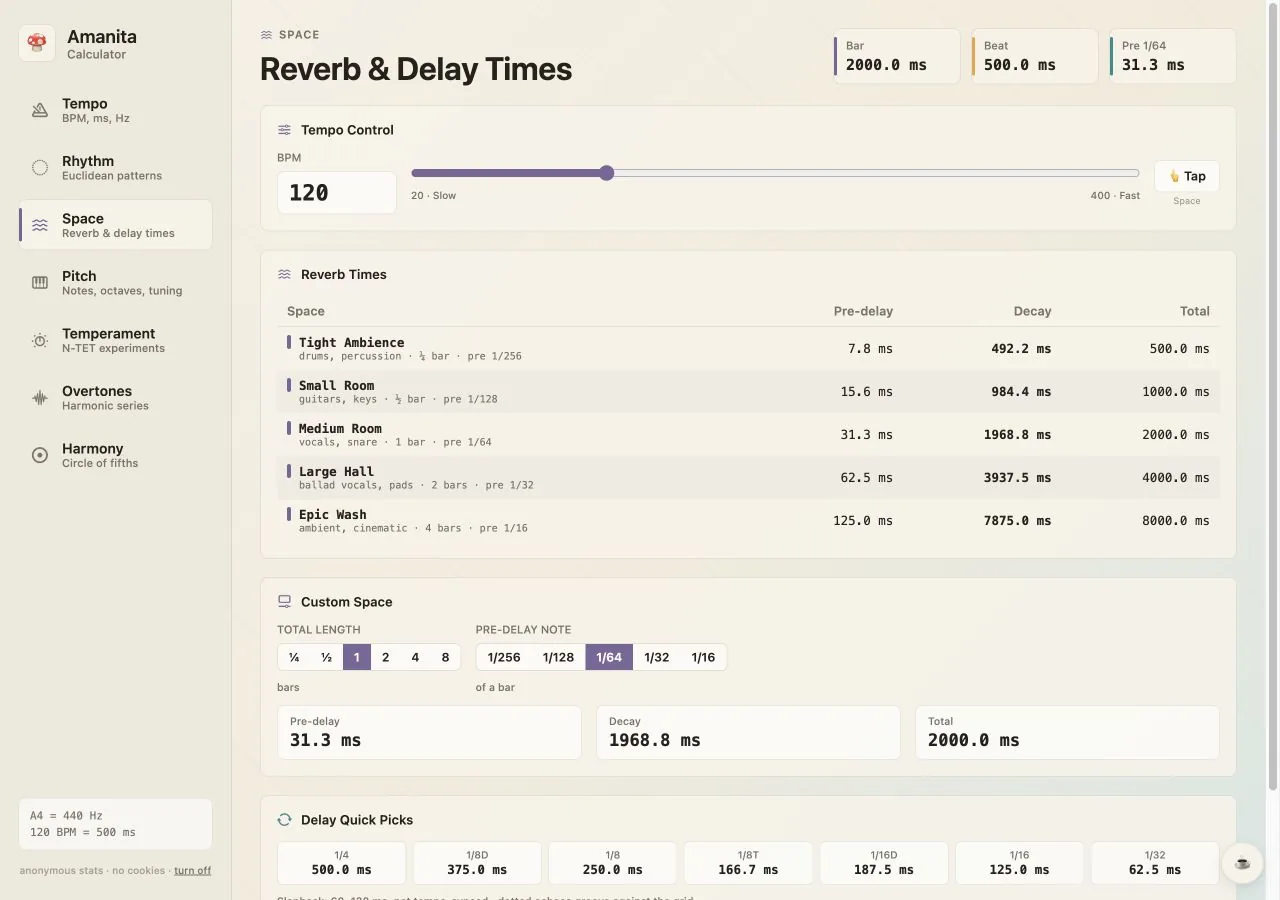
At 120 BPM one bar of 4/4 is 2,000 ms. A quarter-note delay is one quarter of that bar: 500 ms.
Reverb becomes easier to place when its pre-delay and total duration relate to the bar. Short divisions separate the dry signal from the room; longer bar multiples define how quickly the tail clears for the next phrase.
Amanita calculates pre-delay, decay and total time separately, then places common delay subdivisions alongside them. The values are starting points rather than rules: use the tempo relationship for coherence, then adjust for the source and arrangement.
Concrete values you can verify in the calculator and transfer directly to a production session.
A short pre-delay keeps consonants clear while the total two-second room remains tied to the bar.
The four-second total works for pads or ballad vocals where the tail may cross a bar line.
A classic syncopated delay value translated for a faster drum-and-bass tempo.
| Setting | Pre-delay | Decay / delay | Total |
|---|---|---|---|
| Small room | 15.6 ms | 984.4 ms | 1,000.0 ms |
| Medium room | 31.3 ms | 1,968.8 ms | 2,000.0 ms |
| Large hall | 62.5 ms | 3,937.5 ms | 4,000.0 ms |
| 1/8 dotted delay | — | 375.0 ms | 375.0 ms |
The calculator is deliberately direct: set the musical context, inspect the result and copy it where you need it.
Move the reverb onset away from the dry vocal with a musical pre-delay.
Keep ambience short enough to reset before the next snare or kick phrase.
Translate dotted and triplet notes for delay plugins without tempo sync.
Use multi-bar durations for pads and transitions while retaining a rhythmic reference.
Studio note: If a calculated tail clouds the next phrase, halve the total duration before changing the pre-delay. The room keeps its rhythmic shape but clears twice as quickly.
Open the exact tool with your saved tempo and tuning values intact. Nothing to install, no account and no ads.